Glyphboard app icon

Every Unicode character.
One keyboard away.

Search 150,000+ characters, browse all 346 Unicode blocks, and insert any glyph directly into any app — right from your keyboard, on iPhone and iPad.

No account No ads No data collected No “Full Access” required

A tour

Find it, inspect it, type it

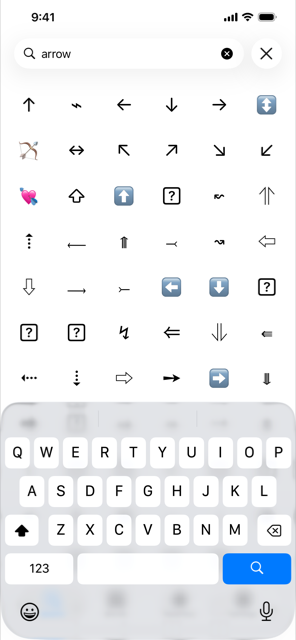
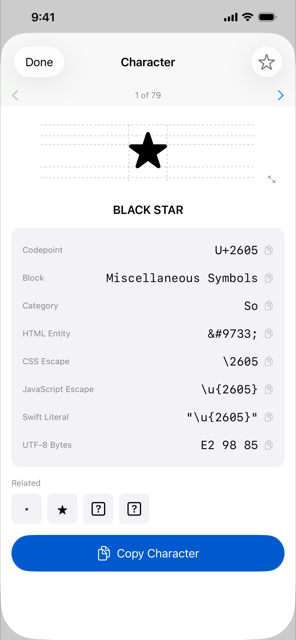
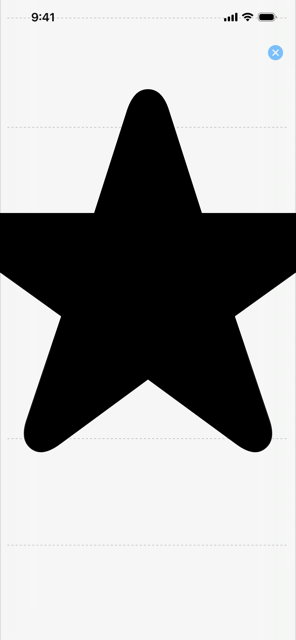
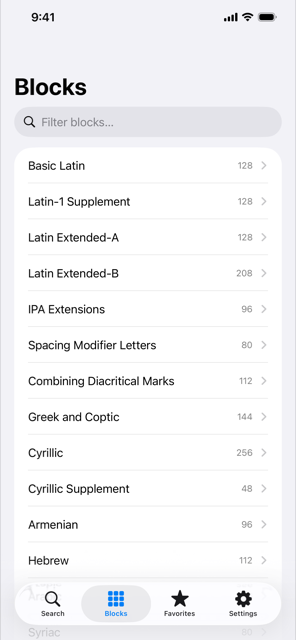
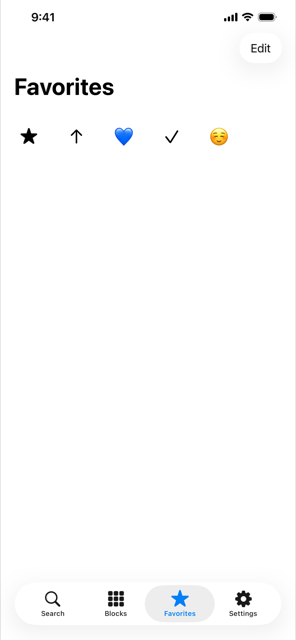
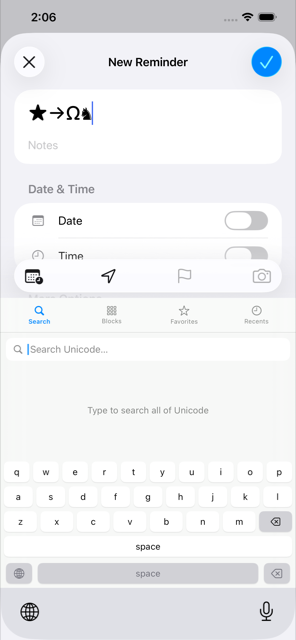
Real screenshots — search, character detail, magnify, blocks, favorites, and the keyboard actually inserting characters into another app.

What's inside

Built for people who actually need a character

Not just an emoji picker — a real reference for every category of the Unicode standard.

Aa

Search 150,000+ characters

Every individually-named Unicode character, plus algorithmic ranges like CJK, Hangul, and Tangut, ranked so the best match comes first.

Browse all 346 blocks

From Basic Latin to Egyptian Hieroglyphs, filterable by name when you already know roughly where to look.

Favorites & Recents

The characters you reach for most, one tap away — kept in sync between the app and the keyboard automatically.

Magnify & inspect

Pinch-zoom any glyph to see its real shape at any size, with ascender/descender guide lines.

</>

Built for developers too

Every character comes with its HTML entity, CSS escape, JavaScript escape, Swift string literal, and raw UTF-8 bytes — tap to copy.

Siri & Shortcuts

Find or copy any character by name, hands-free, or drop it into your own Shortcuts automations.

Nothing collected

No account, no analytics, no network access at all. The keyboard never asks for “Full Access” because it doesn't need it.

For developers

Every character, every format

Stop looking up escape codes. Every character's detail view has them all, ready to copy.

Character★ BLACK STAR
CodepointU+2605
HTML Entity&#9733;
CSS Escape\2605
JavaScript Escape\u{2605}
Swift Literal"\u{2605}"
UTF-8 BytesE2 98 85

Get started

Enable the keyboard

  1. Open Settings → General → Keyboard → Keyboards.
  2. Tap “Add New Keyboard…” and choose Glyphboard.
  3. That's it — no “Allow Full Access” toggle needed.

Questions

Frequently asked questions

Does Glyphboard need “Full Access”?

No. Favorites and Recents sync between the app and the keyboard through a shared App Group, not through Full Access — so the keyboard never asks for it.

Does Glyphboard collect any data?

No. There's no account, no analytics, and no network access at all. See the Privacy Policy for details.

Why can't I find a specific character in search?

Search covers every individually-named Unicode character (~40,000) plus a curated set of common aliases (like “smiley”). If a character has an unusual official name, try browsing its Unicode block instead of searching by name.

Does it work on iPad?

Yes — Glyphboard is a universal app, and the keyboard extension works the same way on iPad as it does on iPhone.

Is there a free trial or in-app purchases?

Glyphboard is a single paid-upfront purchase with nothing gated behind in-app purchases — every feature is included.

I found a bug or a missing character alias — how do I report it?

Email [email protected] with the character (or a description) and what you expected to happen.

Contact

We read every message

Have a question, found a bug, or want to request a character or feature?