
Appointments
A quiet place to pause and pray — or simply think.

See it in action
The same interruptions.
A different purpose.
Appointments looks and feels like the calls and messages already on your phone — because that familiarity is the whole idea.
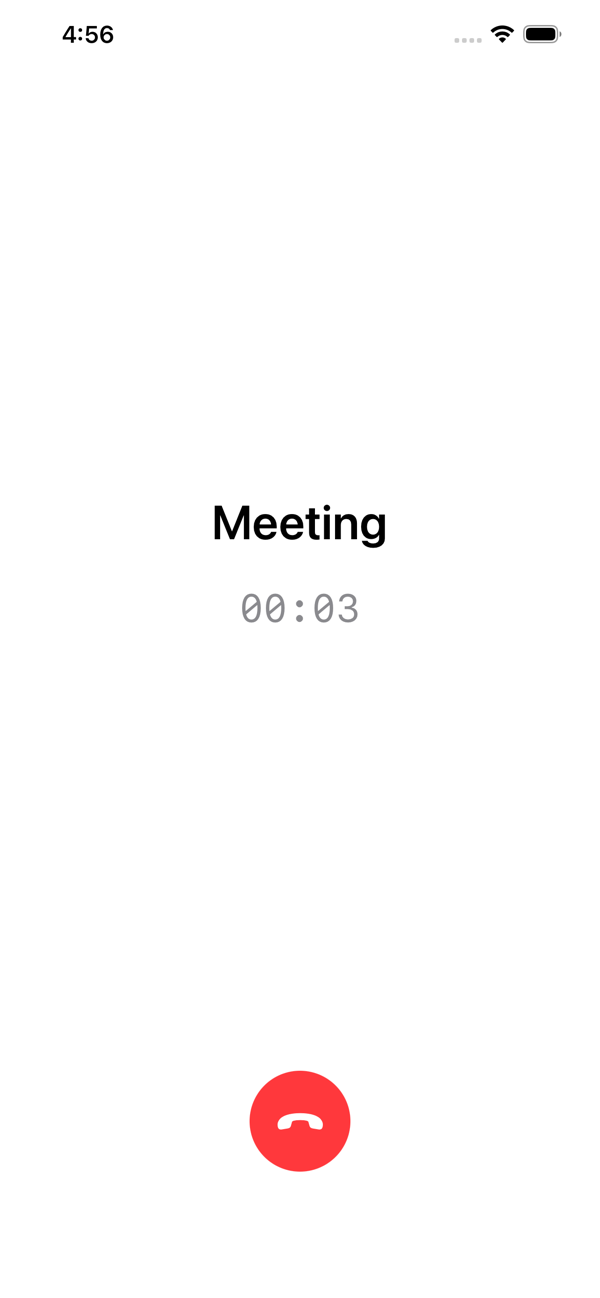
Accept like a callA calm session begins
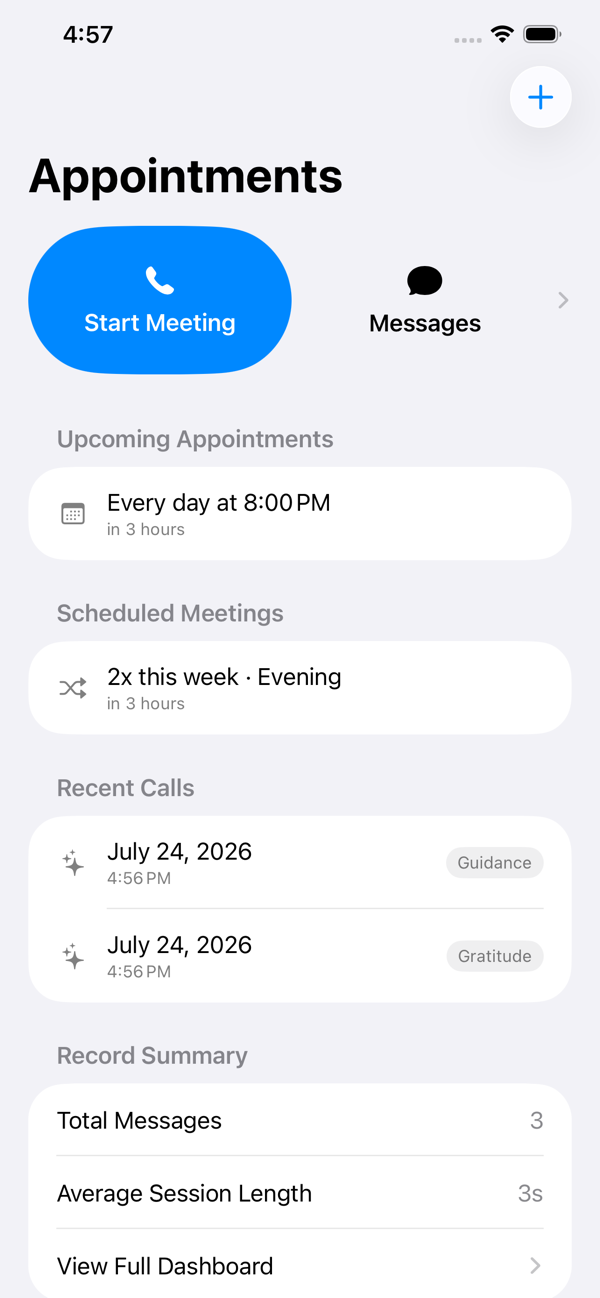
One tap to beginOr schedule ahead
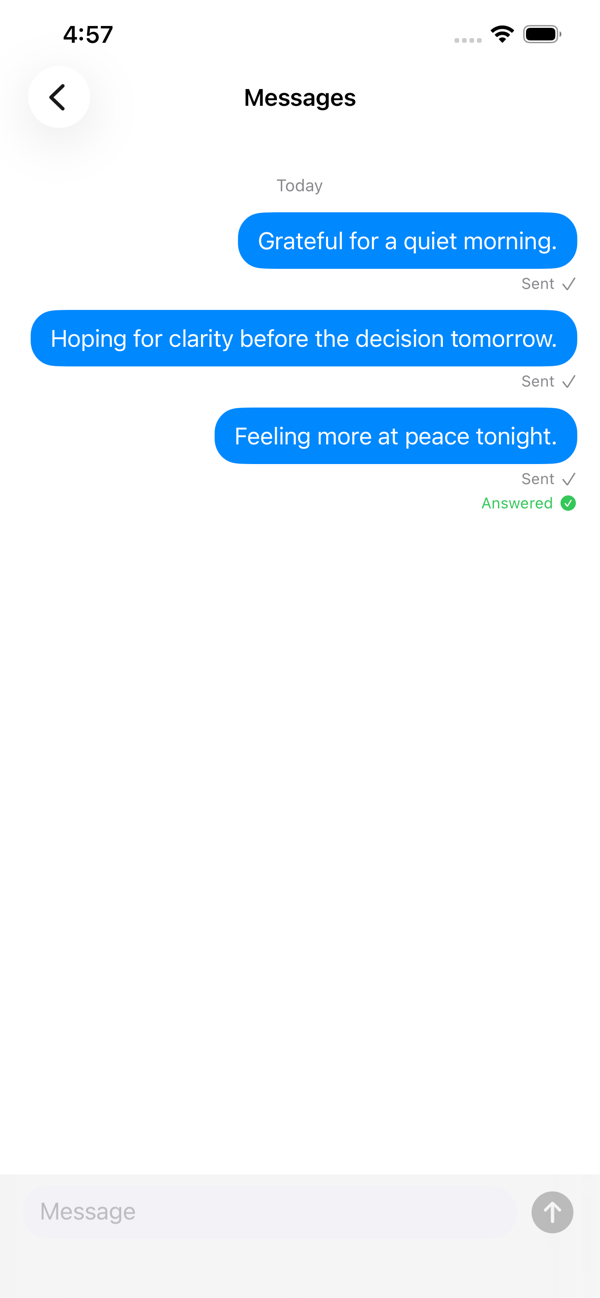
A private journalSent, never replied to
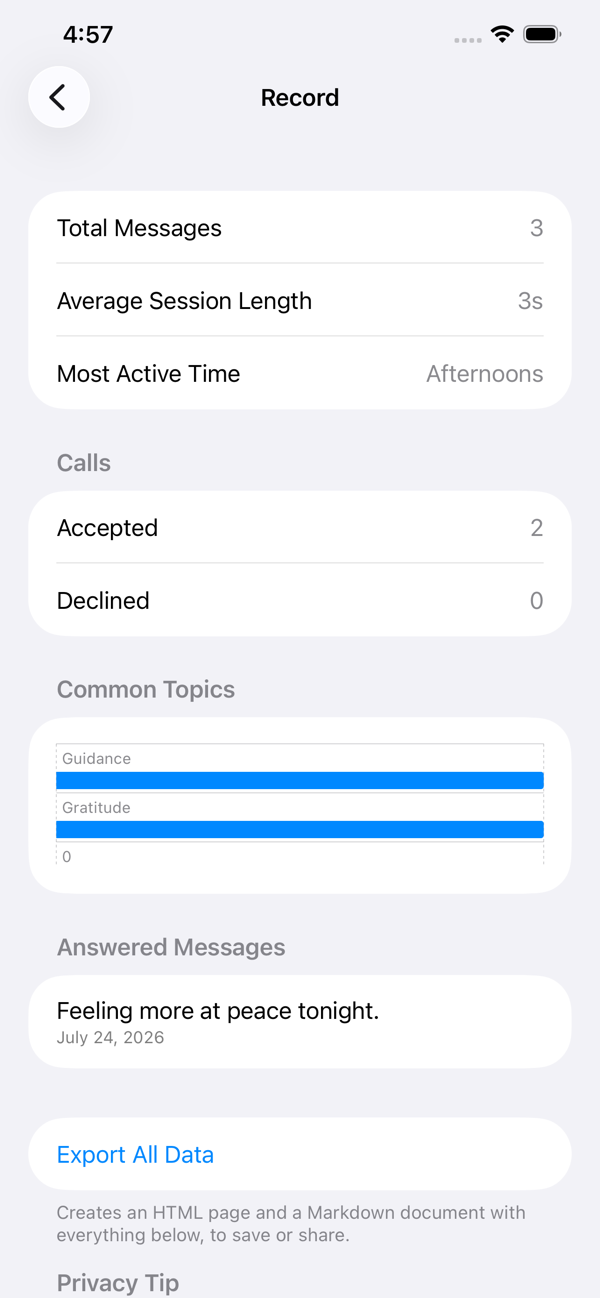
Gentle reflectionsNever a scoreboard
Why it's built this way
Three principles, held firmly
Appointments is designed primarily as a prayer companion, but its interface stays intentionally neutral — no religious language ever appears on screen — so it's equally at home for anyone who wants a private space to pause, reflect, or think.
Never speaks for you
Appointments never generates responses, never pretends someone is replying, and never claims to know anyone's will. It simply creates the space — what you bring to it is entirely yours.
Privacy is sacred
No account, no login, no advertising, no analytics, no third-party SDKs. Everything stays on your device, syncing only through your own personal iCloud account.
Reflection, not gamification
No streaks, no badges, no scores. Your Record screen shows gentle observations about your own patterns — never a performance metric.
How it works
Closing the door to a quiet room
Three simple moments, borrowed from the interactions your phone already uses to pull your attention away.
Schedule, or start now
An Appointment repeats on a schedule you choose. A Meeting arrives at a random time within a window, for a bit of spontaneity.
Accept like a call
Your phone rings the way it does for a real call. Accept opens a calm, uncluttered session screen — just a timer and a moment of stillness.
Reflect afterward
Jot a few words or freeform tags about what was on your mind. Over time it becomes a private, searchable journal you can revisit.
Private by design
Nothing to disclose, because nothing is collected
Appointments doesn't just promise privacy — there's no server it could send your data to in the first place. Read the full policy for exactly how syncing between your own devices works.
Read the Privacy Policy- ✓ No account or login of any kind
- ✓ No analytics, ads, or third-party SDKs
- ✓ Works fully offline
- ✓ Syncs only through your own personal iCloud account
- ✓ Export or delete everything, anytime
Support
Common questions
Can't find what you're looking for? Email [email protected] and I'll get back to you.
How do I schedule an Appointment or Meeting?
From the Home screen, tap the "+" button in the top right. Appointments repeat on a schedule you choose (e.g. every weekday evening); Meetings arrive at a random time within a window you set, for a bit of spontaneity.
Why does the notification look like a phone call?
It's designed to use the same familiar "incoming call" interaction your phone already uses for calls — just for a moment of stillness instead. Accept opens a calm session screen; Decline simply dismisses it, no guilt messaging.
Does my data sync between my devices?
Yes, through your own personal iCloud account via Apple's CloudKit — never through a server we operate. There's no account or login of any kind. See the Privacy Policy for details.
How do I mark a message as answered?
Long-press (or right-click, on devices that support it) any sent message and choose "Mark as Answered." Answered messages show up on your Record screen so you can look back on them later.
How do I keep this app private from anyone else who picks up my phone?
iOS lets you lock any individual app behind Face ID or Touch ID. Long-press the Appointments icon on your Home Screen or in the App Library, then choose "Require Face ID" (or Touch ID). This also hides notification previews for the app until it's unlocked.
Can I delete my data, or export it?
Yes. You can delete individual messages and records by long-pressing or swiping on them, or delete everything at once from the Record screen. The same screen also lets you export all of your data as an HTML page and a Markdown document, for your own records.
I found a bug, or have a question not answered here.
Email [email protected] and I'll get back to you.