
Every server on your Mac, at a glance.
Portabella finds the programs listening on your computer, tells you what they are and which port they're on, and lets you open and copy them. From the menu bar, your iPhone, the terminal, a widget, or a Shortcut.
macOS 26 or later · signed and notarized · includes the Companion and the portabella command line tool · iPhone app coming soon
What it does
Knows what's running
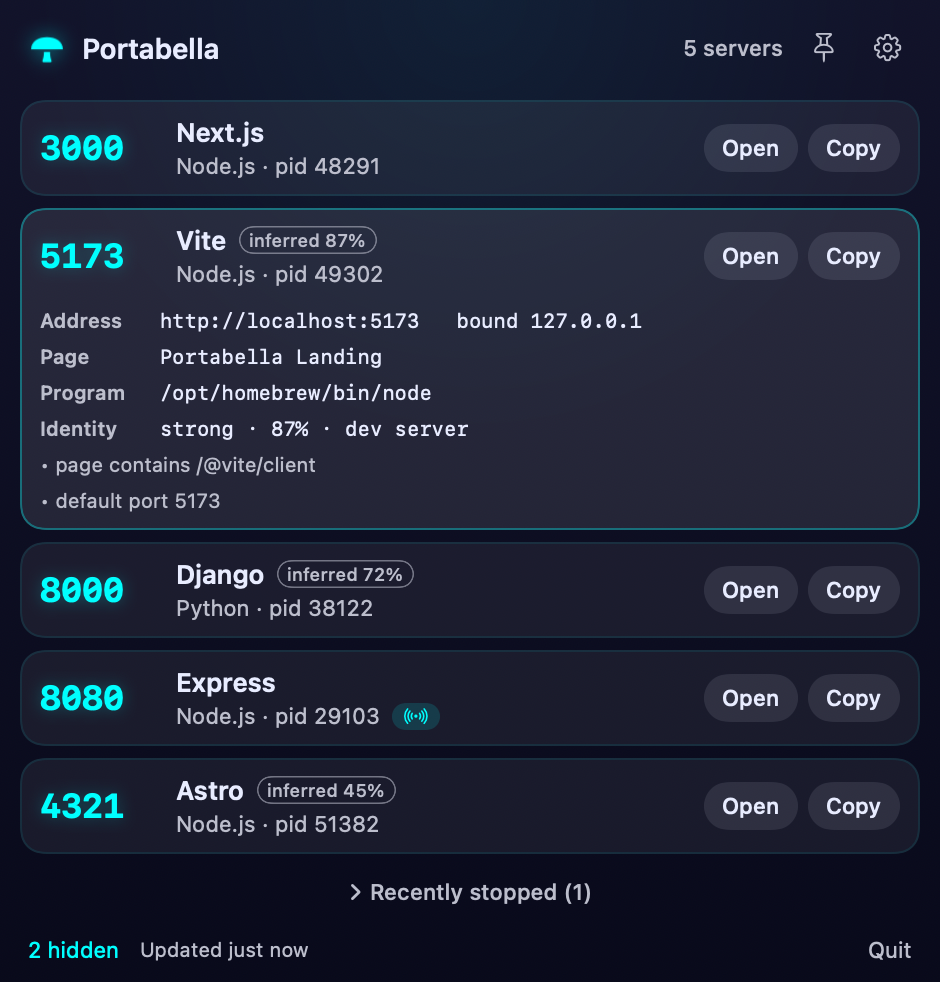
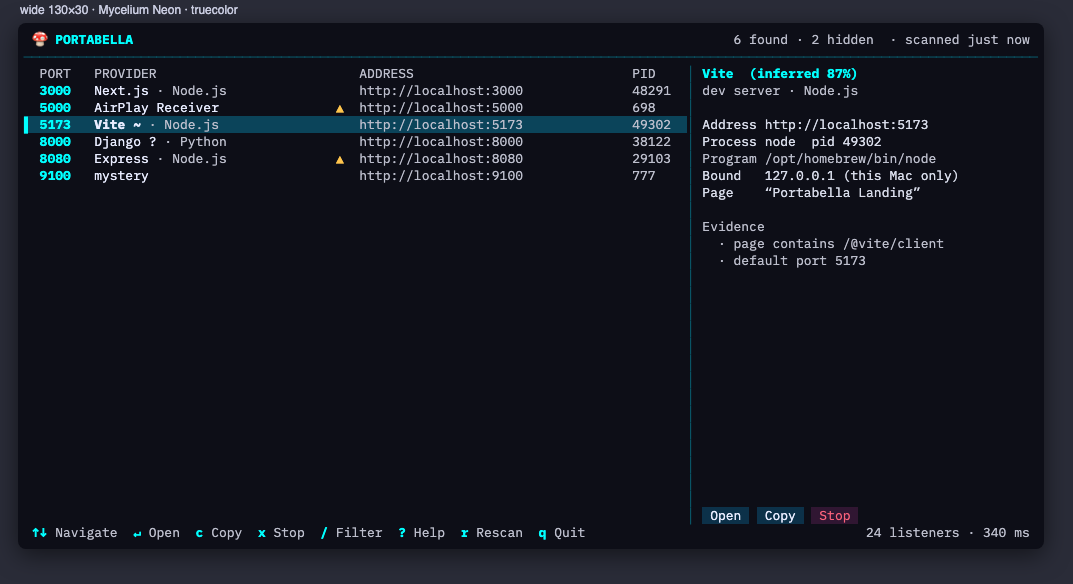
Port, program, process and URL for every local server, with the framework identified (Next.js, Vite, Django, Express and many more). Guesses are labelled as guesses.
One-click open and copy
Jump to a server in your browser or copy its address. Servers other devices can reach are flagged, so you notice what you're exposing.
Stops things properly
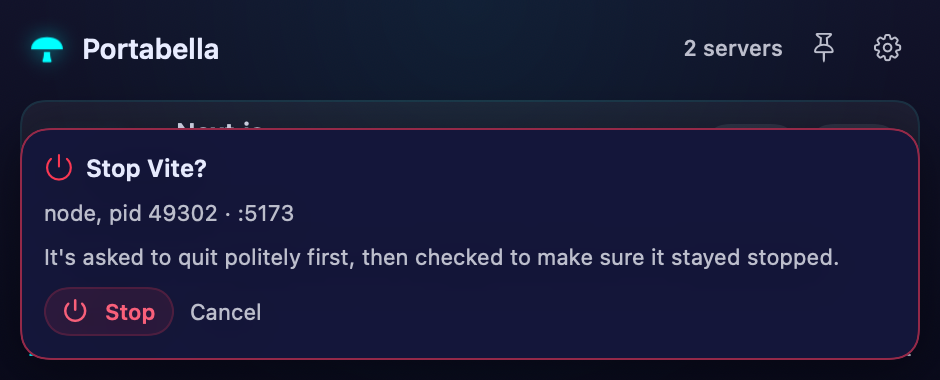
Asks politely first, then checks the server stayed stopped. If something restarts it, Portabella tells you instead of pretending it worked. System processes are never touched.
A panel that stays put
Detach the list as a floating, always-on-top panel that snaps to screen edges and fades out of the way until you need it.
Quiet notifications
Hear about servers that appear, vanish or come back, without being nagged about the ones you just stopped yourself.
Looks like you
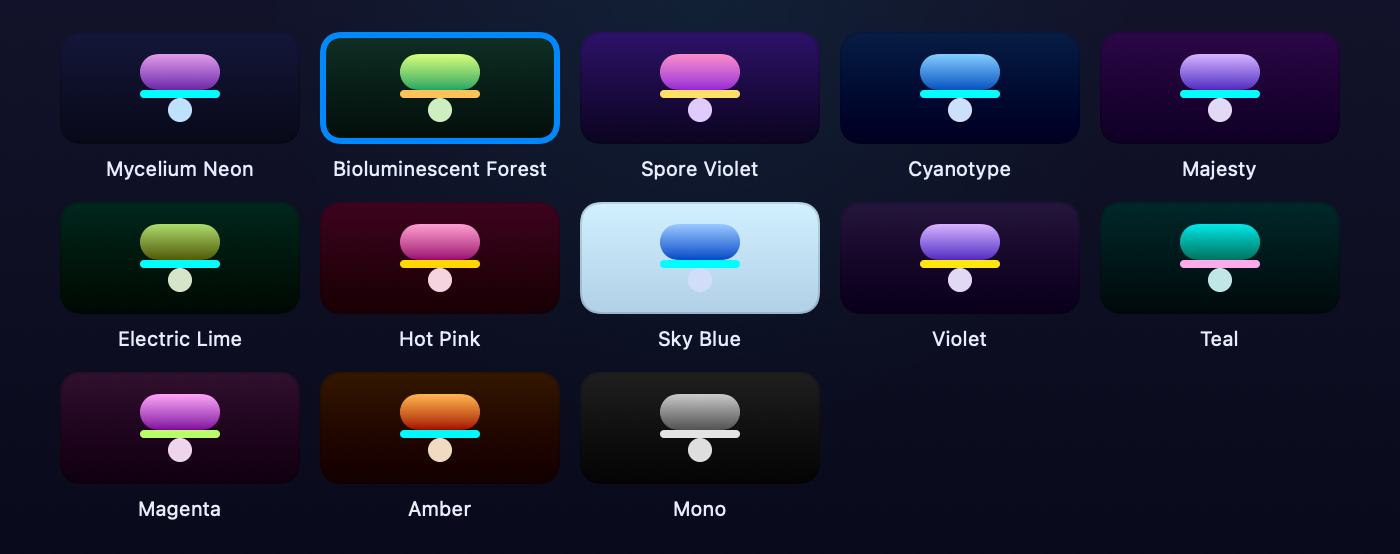
Thirteen colour themes plus any colour you like, in light and dark, with the app icon following your choice.













Stopping servers, carefully
Portabella runs in Apple's app sandbox, and macOS does not let a sandboxed app end other programs. So the menu-bar app lists, identifies, opens and copies every server, and the actual stopping is done by the Portabella Companion, a small helper that comes in the same download, or from the terminal with the portabella command line tool.
Whatever does the stopping follows the same rules: it identifies the server, asks it to quit politely, checks that it stayed stopped, and it will not stop system programs, other users' programs, or itself. Stopping has no network connection of its own and sends nothing anywhere.
On your iPhone
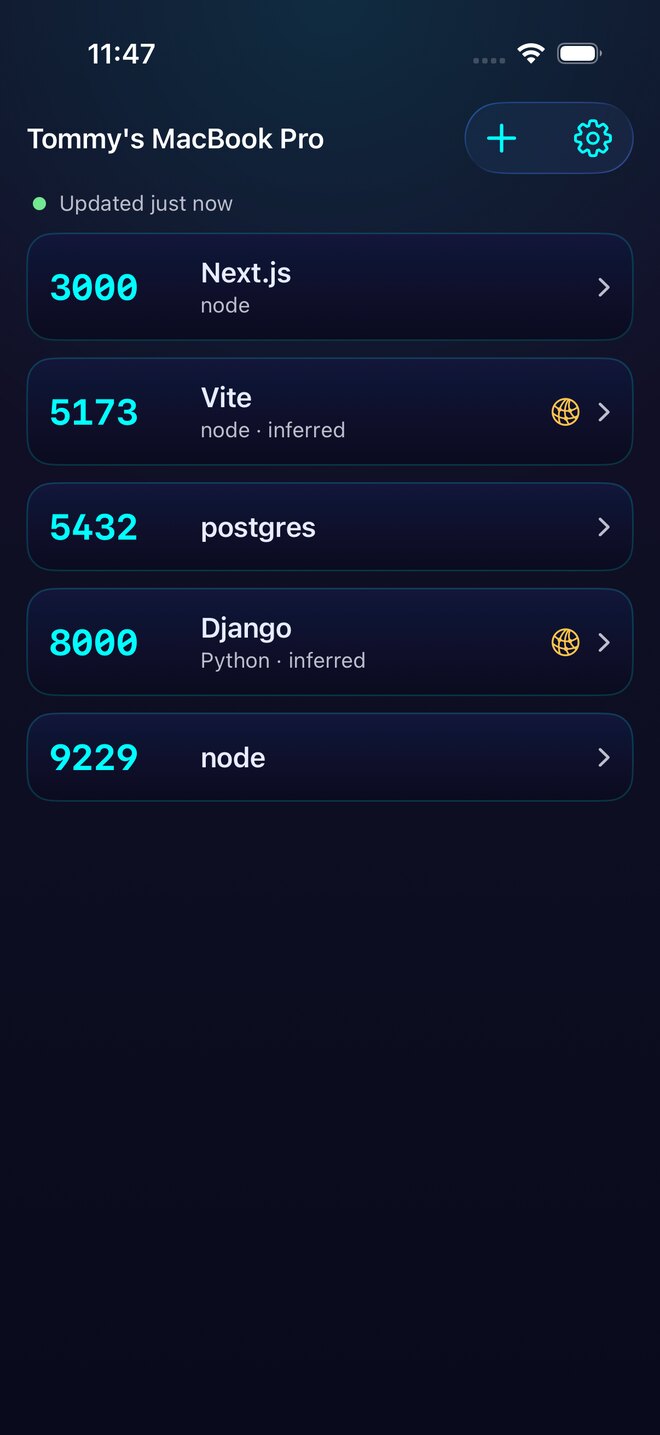
Pair your iPhone with your Mac by comparing a six-digit code on both screens, and you can see the list from anywhere on your network, open servers that are reachable, copy their addresses, and stop them. Every stop needs Face ID.
Servers that only listen on the Mac itself (localhost) can be shared with your iPhone one at a time: turn one on in Portabella on the Mac, and your iPhone can open it through an encrypted tunnel for 30 minutes, after Face ID. It stays off until you turn it on.
Messages between your devices are signed and end-to-end encrypted. There is no account and no Portabella server in the middle. Remove a phone from the Mac and it loses access immediately.
Widgets show the list on your home screen, clearly labelled with how fresh it is. Shortcuts and Siri can list servers, check a port, open or stop a server.

Widgets and Shortcuts
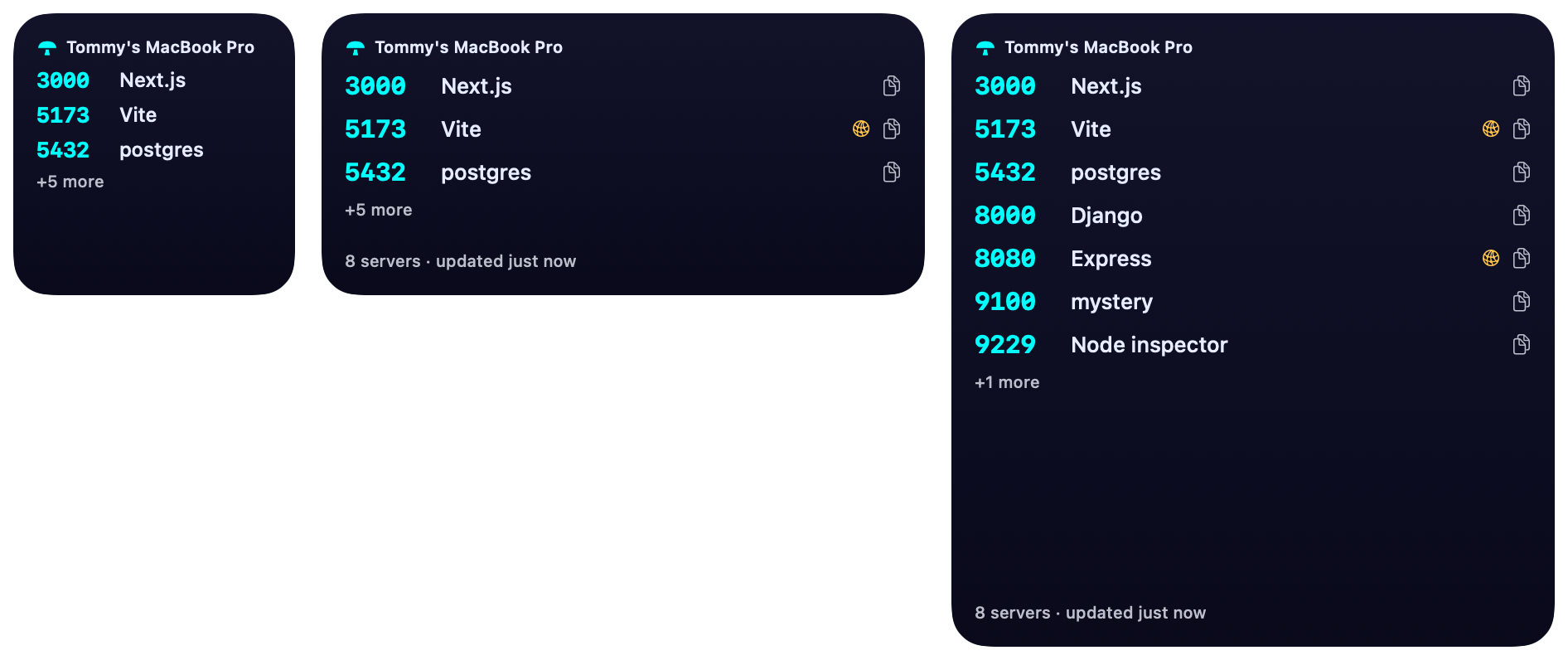
Mac and iPhone widgets are never presented as live: each says when it last updated, turns amber when it goes stale, and says so if a Mac removed your iPhone.
For the terminal
A fast, dependency-free command line tool and full-screen terminal interface, free to download (portabella-cli.zip, Apple silicon and Intel) and also included with the Companion. It speaks plain text, JSON or JSON lines, respects NO_COLOR, and has documented exit codes for scripts. Try the terminal interface in your browser, compiled to WebAssembly from the same code.
portabella                 # full-screen terminal UI
portabella list --json     # machine-readable
portabella kill 5173       # stop it, then verify it stayed stopped
portabella watch           # appear / disappear / respawn events
Install from Terminal: curl -fsSL https://tomhodgins.com/software/portabella/download/portabella-cli.zip -o /tmp/pb.zip && unzip -o /tmp/pb.zip -d /usr/local/bin. It's signed and notarized, so a browser download works too. Checksums are in SHA256SUMS. More about the terminal tool.
Private by design
No accounts, no analytics, no tracking, no Portabella servers. Command lines and file paths never leave your Mac. Read the privacy details.
Download
Portabella for Mac is free. One disk image holds the menu-bar app, the Companion that stops servers for it, and the portabella command line tool. Drag both apps to Applications and open each once.
- Version
- Size
- SHA-256
- Requires
- macOS 26 or later, Apple silicon or Intel
Signed with a Developer ID and notarized by Apple. Checksums for every download are in SHA256SUMS.
Requirements
macOS 26 or later for the Mac app and the Companion. The iPhone app (iOS 26 or later) is coming soon.