
Your servers, from the terminal.
portabella is a fast, dependency-free command line tool and full-screen terminal interface: list what's listening, find out who owns a port, open, copy and stop servers, safely.
Free · Apple silicon and Intel · macOS 26 or later · signed and notarized
Try it now
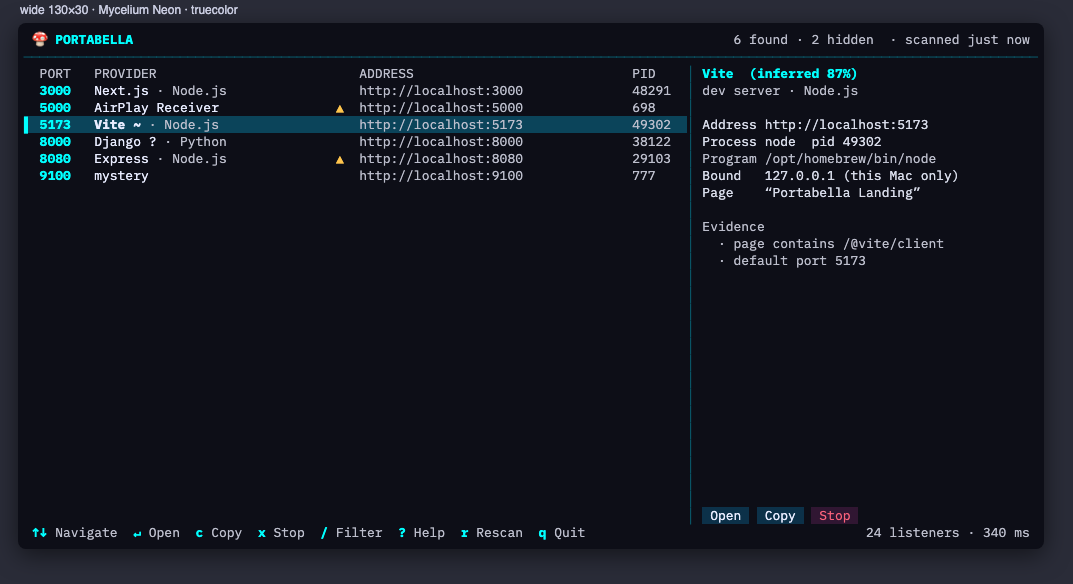
This is Portabella's real terminal interface, compiled from the same Swift code to WebAssembly and running in this page. It's looking at a pretend Mac (your browser can't see your real one), so go ahead: filter, open the details, stop something. The Jupyter server shrugs off a polite stop, the Next.js one comes back, and macOS's own services refuse, just like the real thing.
Best with a keyboard: ↑ ↓ to move, / to filter, x to stop, a for databases and other listeners, ? for every key. Open it full screen, or in another theme: Cyanotype, Bioluminescent Forest, Hot Pink.
Download
The command line tool
One universal binary, no dependencies.
Apple silicon and Intel · macOS 26 or later
Or get it with the app
The free Portabella download includes the menu-bar app, the Companion that stops servers for it, and this same tool, inside the Companion.
Install
curl -fsSL https://tomhodgins.com/software/portabella/download/portabella-cli.zip -o /tmp/pb.zip
unzip -o /tmp/pb.zip -d ~/.local/bin      # or /usr/local/bin, or anywhere on your PATH
portabella help
Signed with a Developer ID and notarized by Apple, so a browser download opens without warnings. Checksums: SHA256SUMS.
Commands
portabella                           # full-screen terminal UI (a plain list when piped)
portabella tui --theme cyanotype     # --theme --interval --all --ascii --no-mouse --reduce-motion --show-command
portabella list [--all] [--json]     # web servers by default; --all adds databases and other listeners
portabella list --group              # sorted by project (the git repo or folder a server was started from)
portabella why 5173                  # who owns a port, for how long, which project, and the next free port
portabella free 3000                 # first free port at or above 3000, as a bare number: PORT=$(portabella free 3000)
portabella scan                      # every listener, and the evidence behind each identification
portabella kill 5173                 # confirm, ask politely, verify it stayed stopped (--force escalates)
portabella watch                     # JSON-lines events: appeared, disappeared, respawned
Plain text for people, --json or JSON lines for scripts, colour only on a real terminal (and never with NO_COLOR), and documented exit codes: 0 ok, 1 not found or failed, 2 declined, 3 protected, 4 still running, 5 respawned, 64 usage.
In the full-screen interface
- ↑ ↓ j k
- Move; PgUp/PgDn, Home/End (g/G) jump
- Enter / o
- Open in your browser
- c · p
- Copy the URL (or host:port) · copy the port
- x / Delete
- Stop the server (asks first)
- /
- Filter by port, name or provider
- a · d
- Show non-web listeners · servers started by desktop apps
- Tab / i
- Show or hide the details pane
- r
- Rescan now
- ?
- Every key, in the app
- q
- Quit
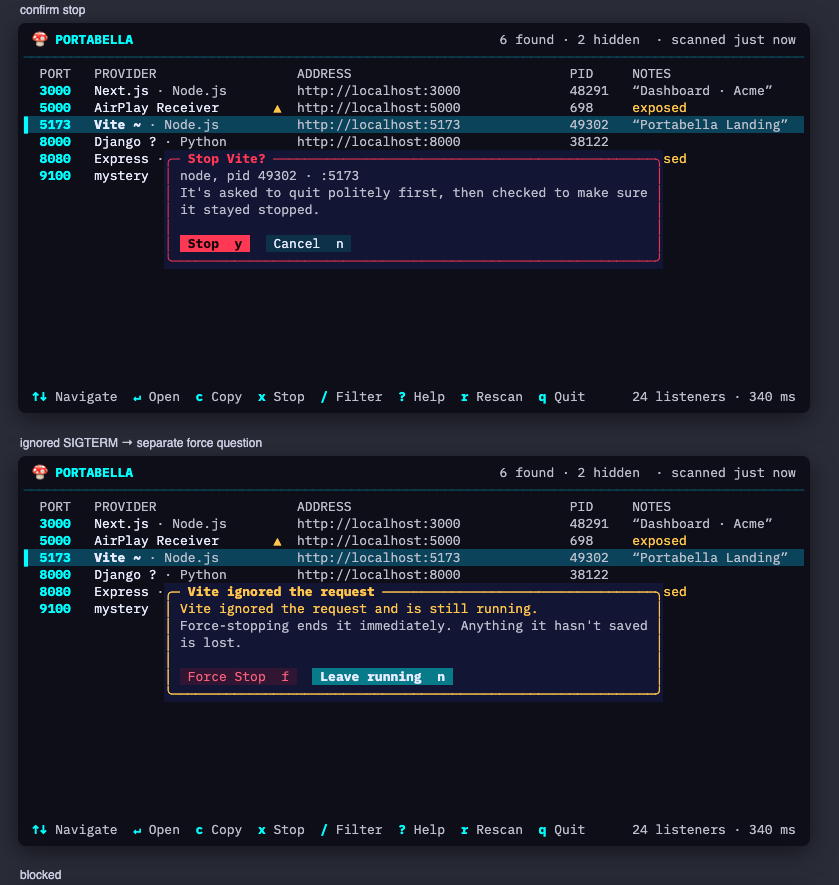
It's mouse-aware too: click a row to select it, double-click to open, click the buttons along the bottom.
Stopping, carefully
The same rules as the app: Portabella identifies the server, asks it to quit, checks that it stayed stopped, tells you if something restarted it, and never touches system programs, other users' programs, or itself. Nothing about your servers leaves your Mac.